
Vidoshare — A Single Home for Every File Your Team Ever Shares
A unified content platform where videos, documents, spreadsheets and visual boards live side-by-side — shared by link, secured by password, and quietly read by an AI co-pilot that has already finished the homework.
Video · Doc · Sheet · Board · Drive
Summary · Ask AI
Link or password
Source-anchored, no hallucinations
01 / Overview
A Workspace That Doesn't Ask You to Choose a File Type
Most teams juggle a tab-graveyard of Loom, Drive, Notion, Miro and a dozen Excel exports. Vidoshare folds all of it into one calm dashboard where a recorded walkthrough, a quarterly spreadsheet, an architecture board and a PDF brief all live in the same library — searchable, shareable, and quietly intelligent.
Every asset can be shared with a single link. Sensitive material gets a password gate; product demos go public. Boards open up live, multi-cursor canvases for flowcharts, mind maps and architecture diagrams. And a built-in AI Assistant reads every asset the moment it's uploaded.
The product also bridges into Google Drive, so existing files don't have to migrate to be useful.
Unified Library
5 content modes · 1 dashboard · 1 mental model.
Link or Password
Public, protected, or private — chosen at creation.
AI Assistant
Summary + Ask AI on every asset, grounded in the source.
Drive Bridge
Reason over Google Drive without migrating files.
02 / The Problem
Knowledge Lives in Too Many Places
Teams don't have a content problem — they have a retrieval problem. An onboarding video sits in Loom. The pricing sheet is in Excel. The product roadmap is on a whiteboard photo in Slack. The brief is a PDF in someone's inbox. When a new hire asks "where's the Q3 review?" the answer is always: it depends.
Pain 01 Tool Sprawl
Pain 02 Inconsistent Privacy
Pain 03 Dead Content
03 / The Solution
One Library. Every Format. Shared on Your Terms.
Vidoshare collapses recording, hosting, sharing, collaboration, intelligence and analytics into a single calm interface. From the dashboard, a user can record a video, upload a doc or sheet, create a visual board, or connect their Drive — all with the same click pattern. The result feels less like a tool and more like a room — a place where the team's knowledge actually lives.
04 / Product Surfaces
Five Content Modes. One Mental Model.
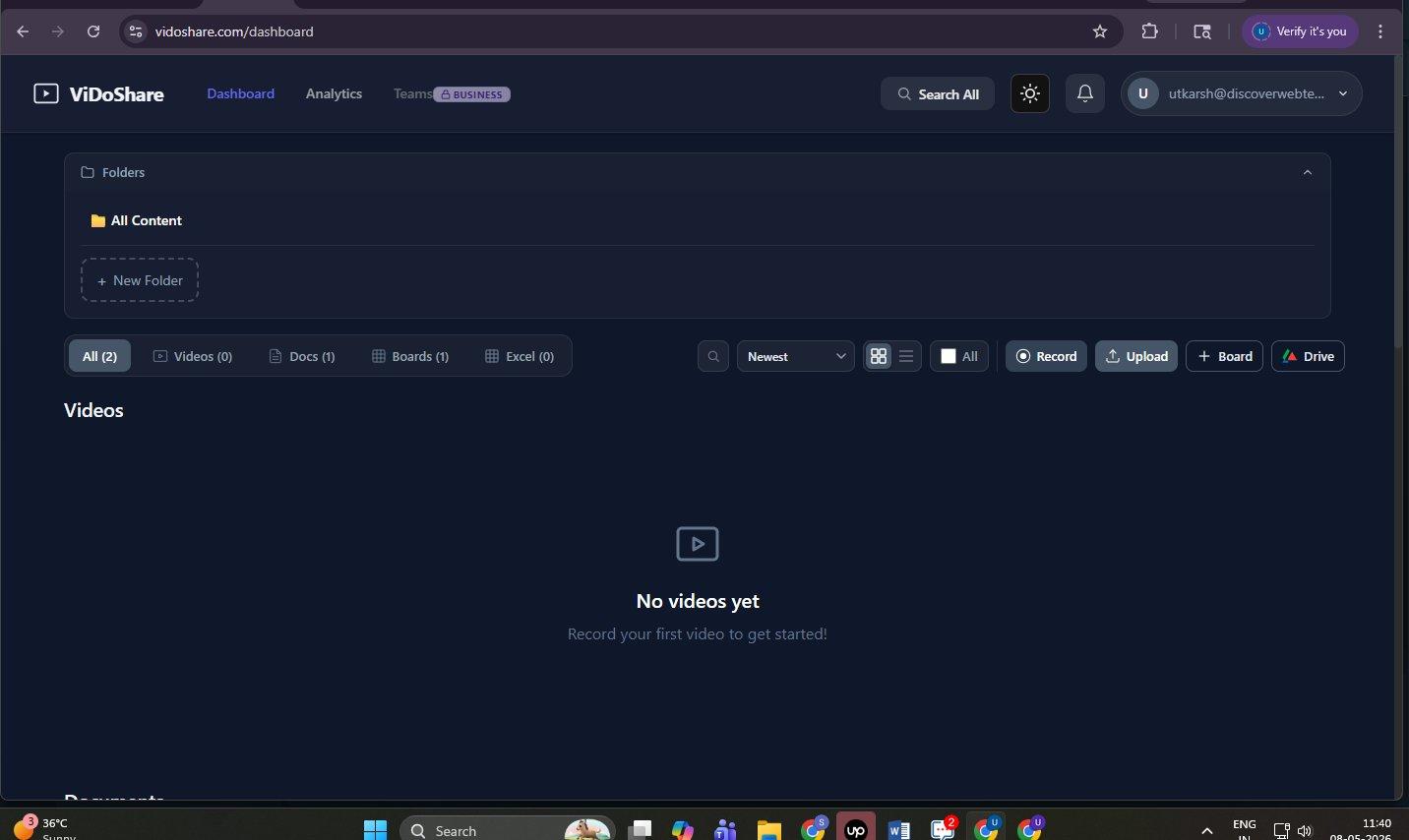
One dashboard handles five distinct content types. The user never has to leave to find a different tool — every format lands inside the same library, follows the same sharing rules, and appears in the same search index.
The Unified Content Hub
One dashboard. Five content types. Everything filed under folders the user controls — not a rigid taxonomy imposed from above.
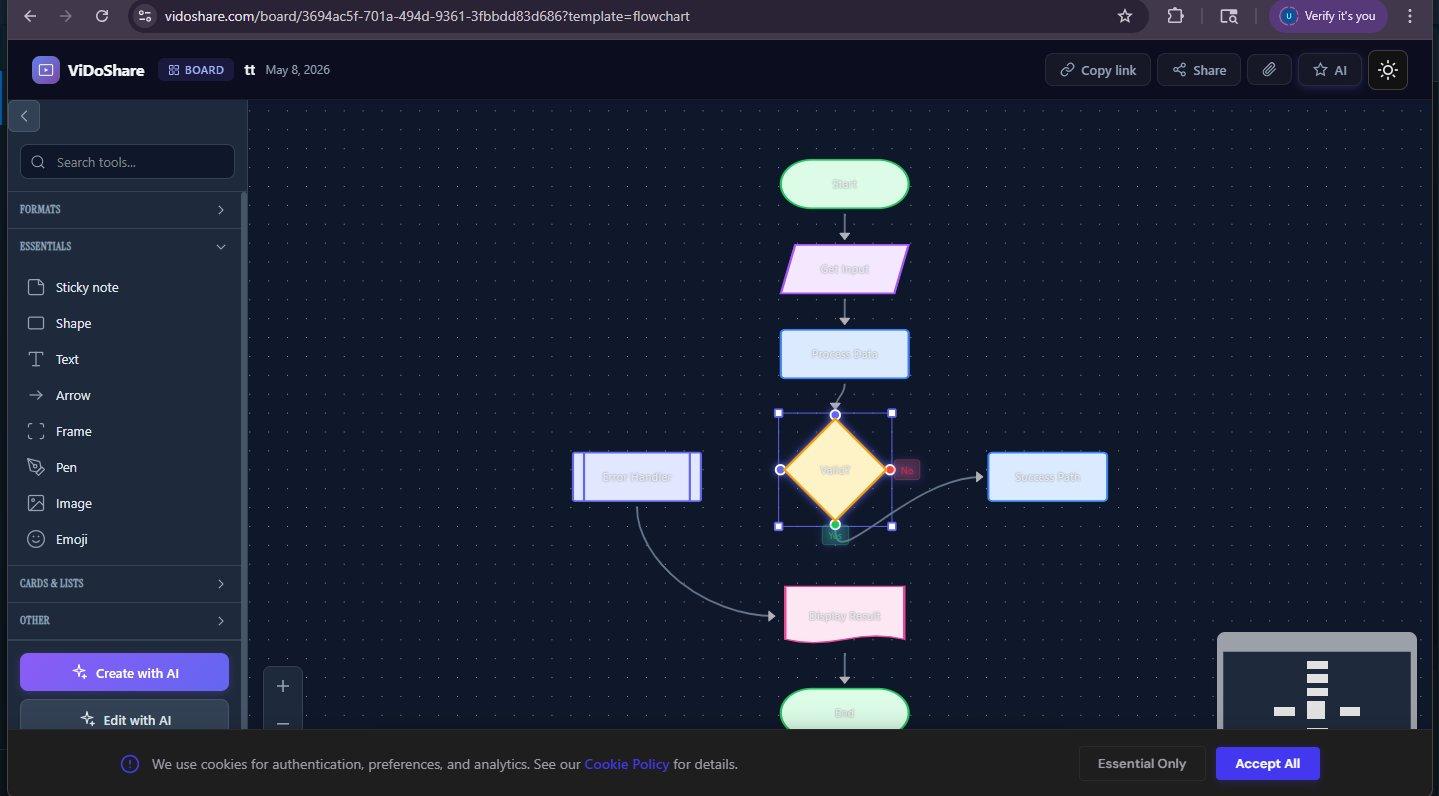
Boards That Think With You
Visual canvases for flowcharts, mind maps and architecture diagrams. Drop shapes, draw arrows, leave sticky notes — and let the AI scaffold the structure for you.
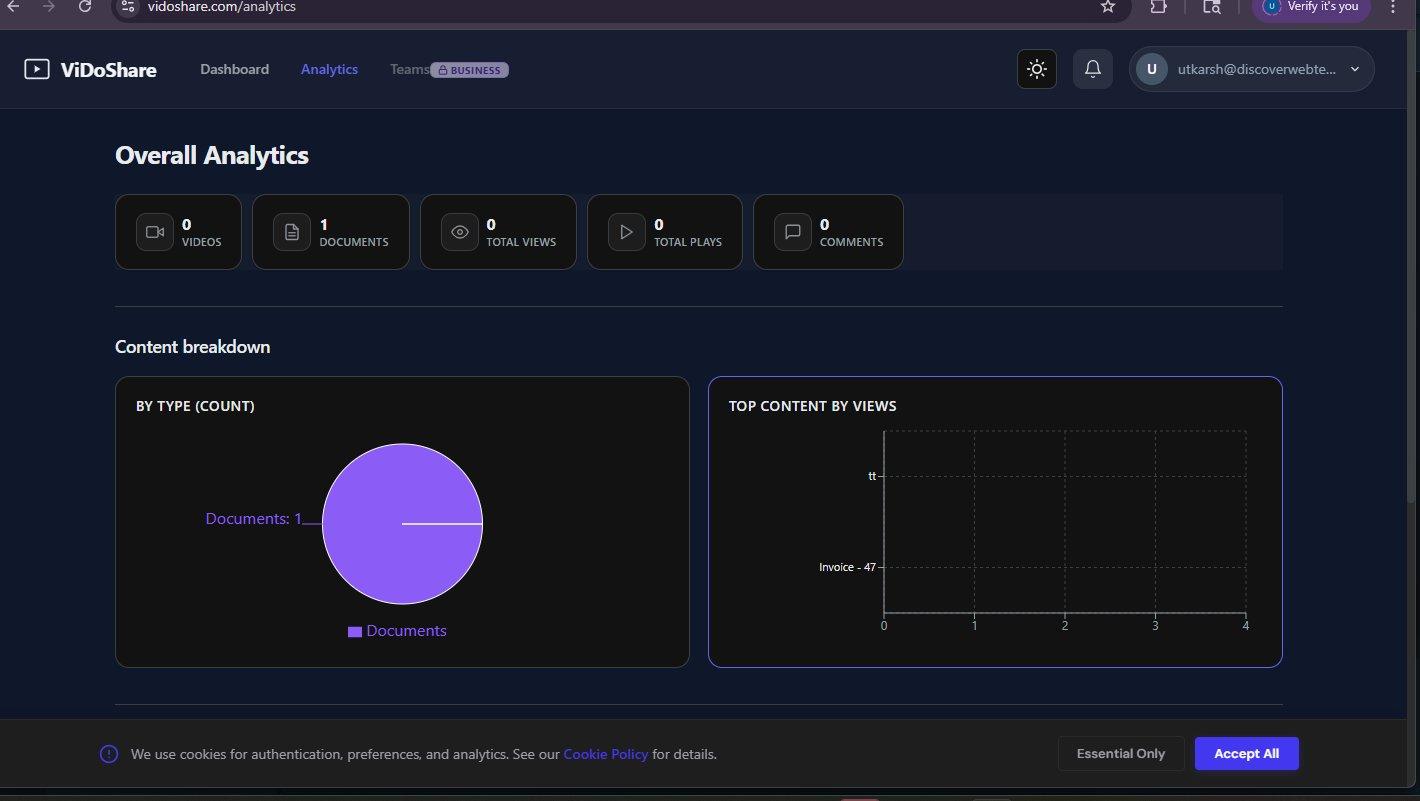
Pick a Board, Not a Tool
The Create New Board modal removes the friction of choosing software. Pick a structural intent — and Vidoshare builds the right canvas around it.
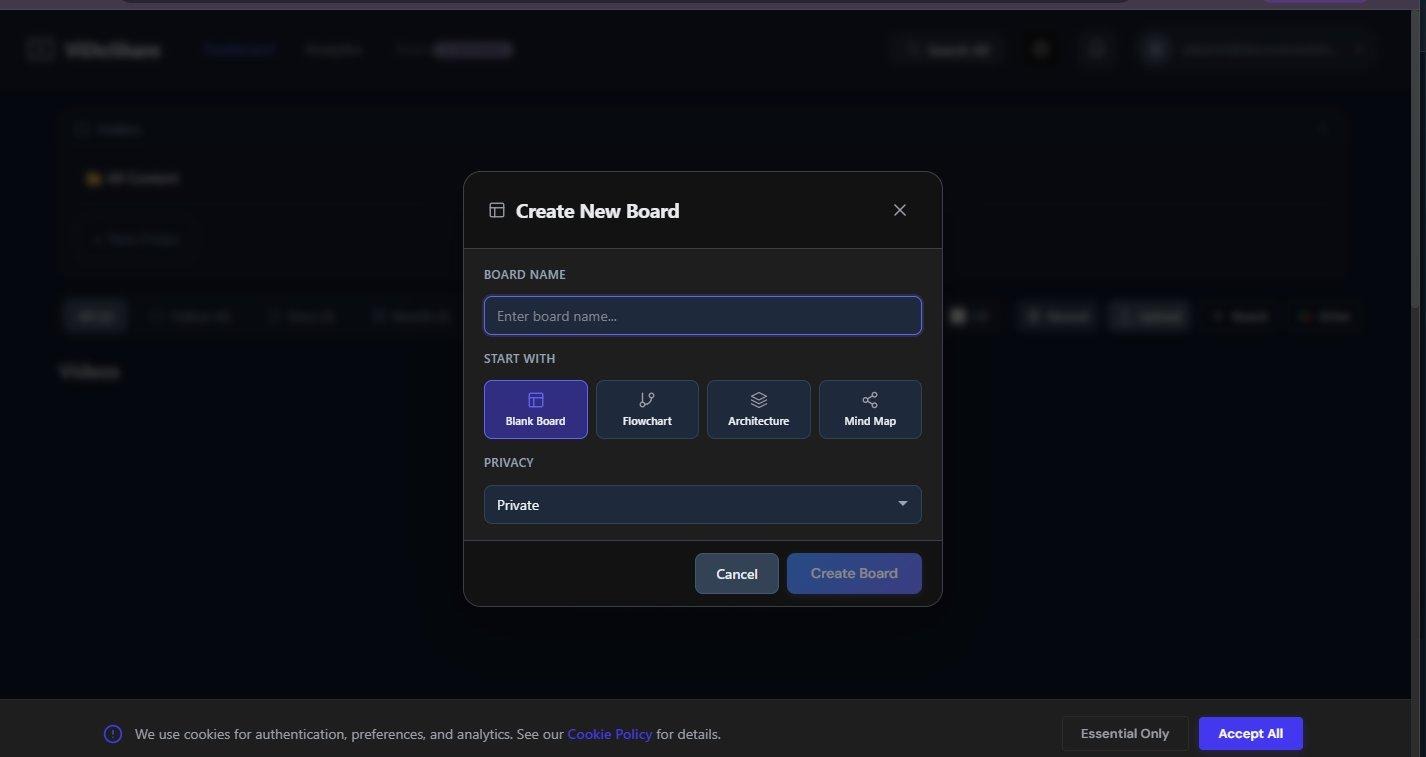
Analytics That Actually Mean Something
Once content goes live, the platform tracks who watched, what they opened, where they dropped off. No more shouting "did you see my email?" into the void.
05 / The AI Assistant
An Assistant That Has Already Read the File
Not a chatbot bolted on. A reading partner that has finished the homework by the time you click. The AI Assistant is built into every Vidoshare view page — the moment a document, video or board finishes uploading, it is indexed, embedded, and ready.
Mode 01 Summary
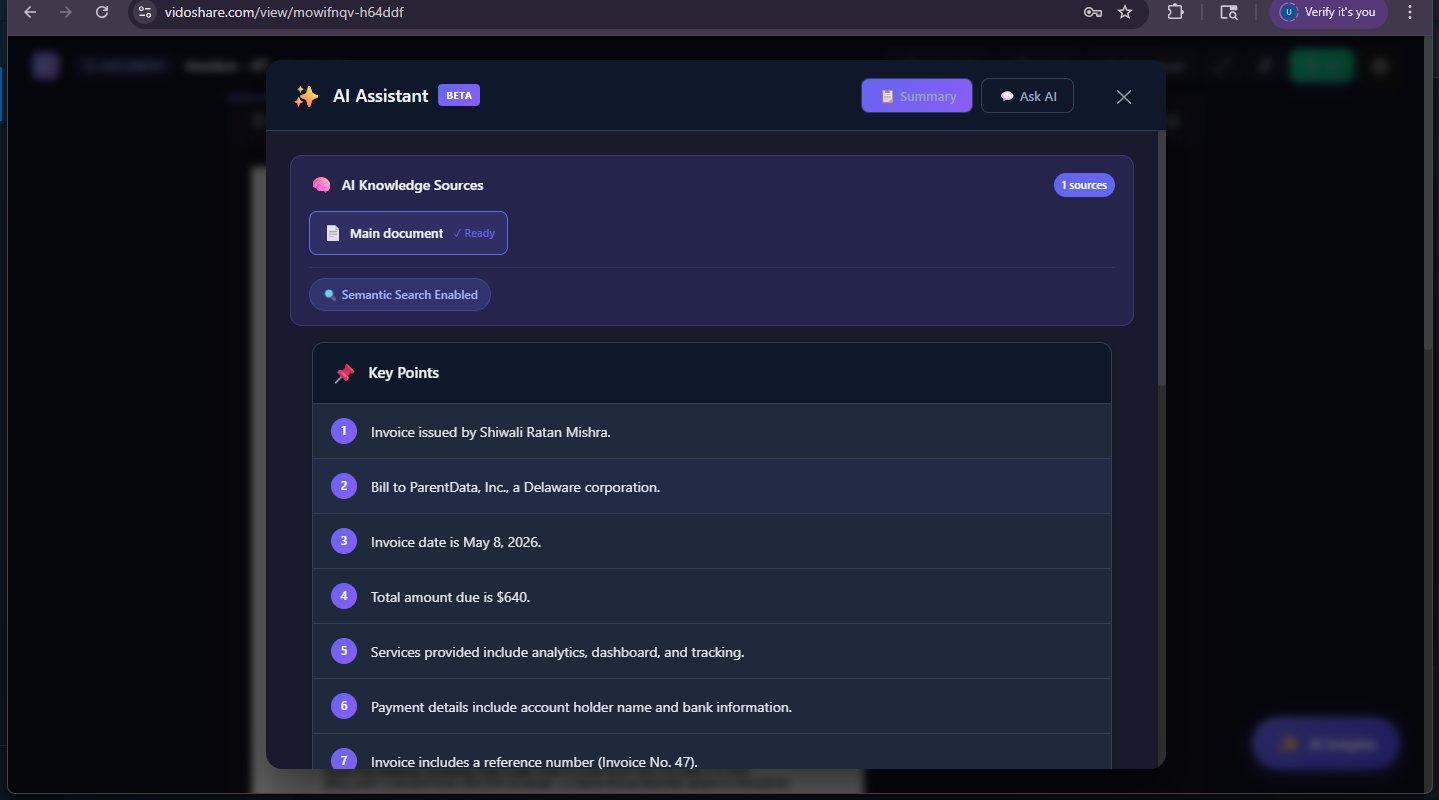
The default tab. Auto-extracts a numbered list of key points the moment the document finishes indexing — facts, dates, totals, parties, action items.
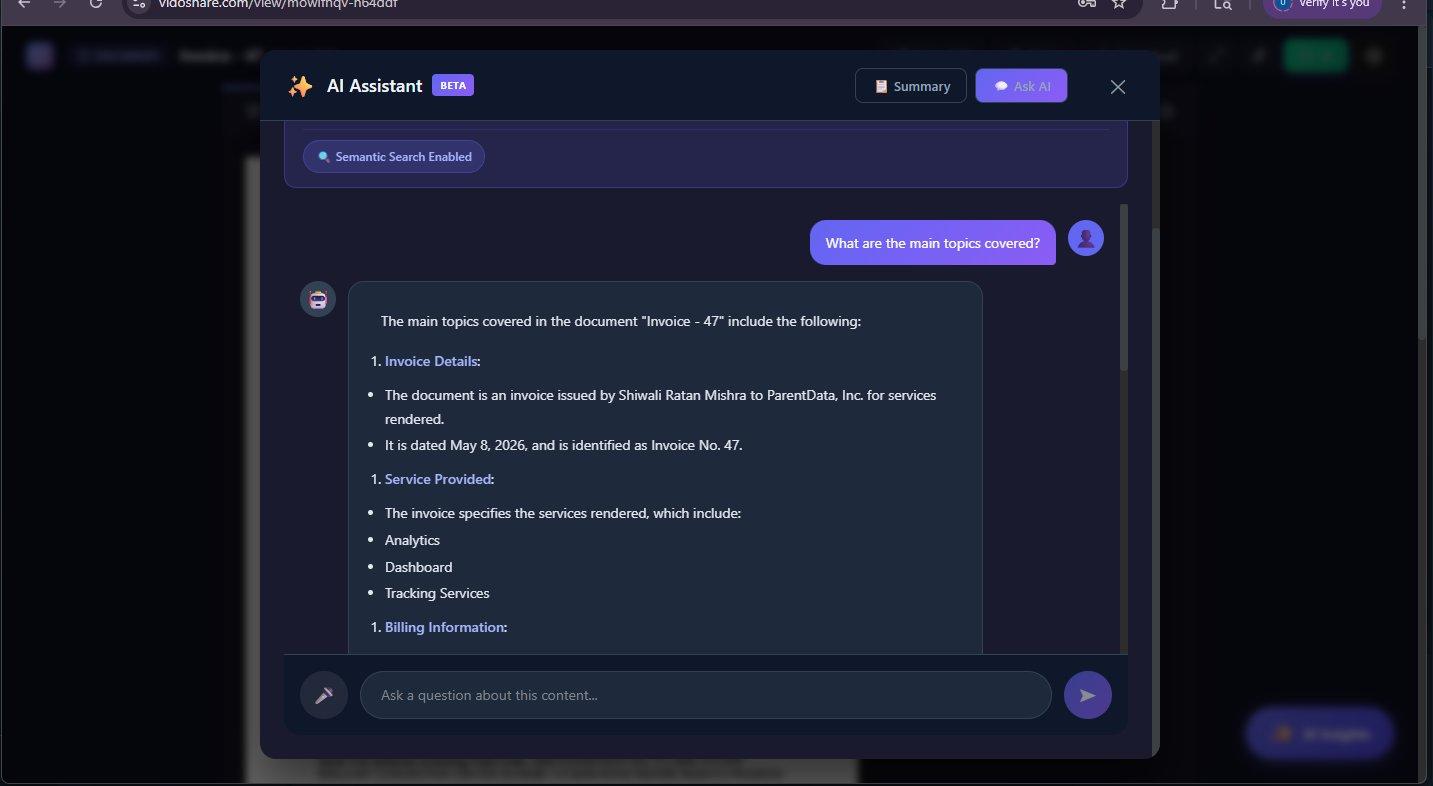
Mode 02 Ask AI
Open-ended chat grounded in the same asset. Ask about a specific page, a number, a deadline. Replies come back as structured markdown.
✦ LIVE EXAMPLE — For a real invoice document, the Summary tab auto-produced the following seven key points without a single prompt:
- Invoice issued by Shiwali Ratan Mishra.
- Bill to ParentData, Inc., a Delaware corporation.
- Invoice date is May 8, 2026.
- Total amount due is $640.
- Services provided include analytics, dashboard, and tracking.
- Payment details include account holder name and bank information.
- Invoice includes a reference number (Invoice No. 47).
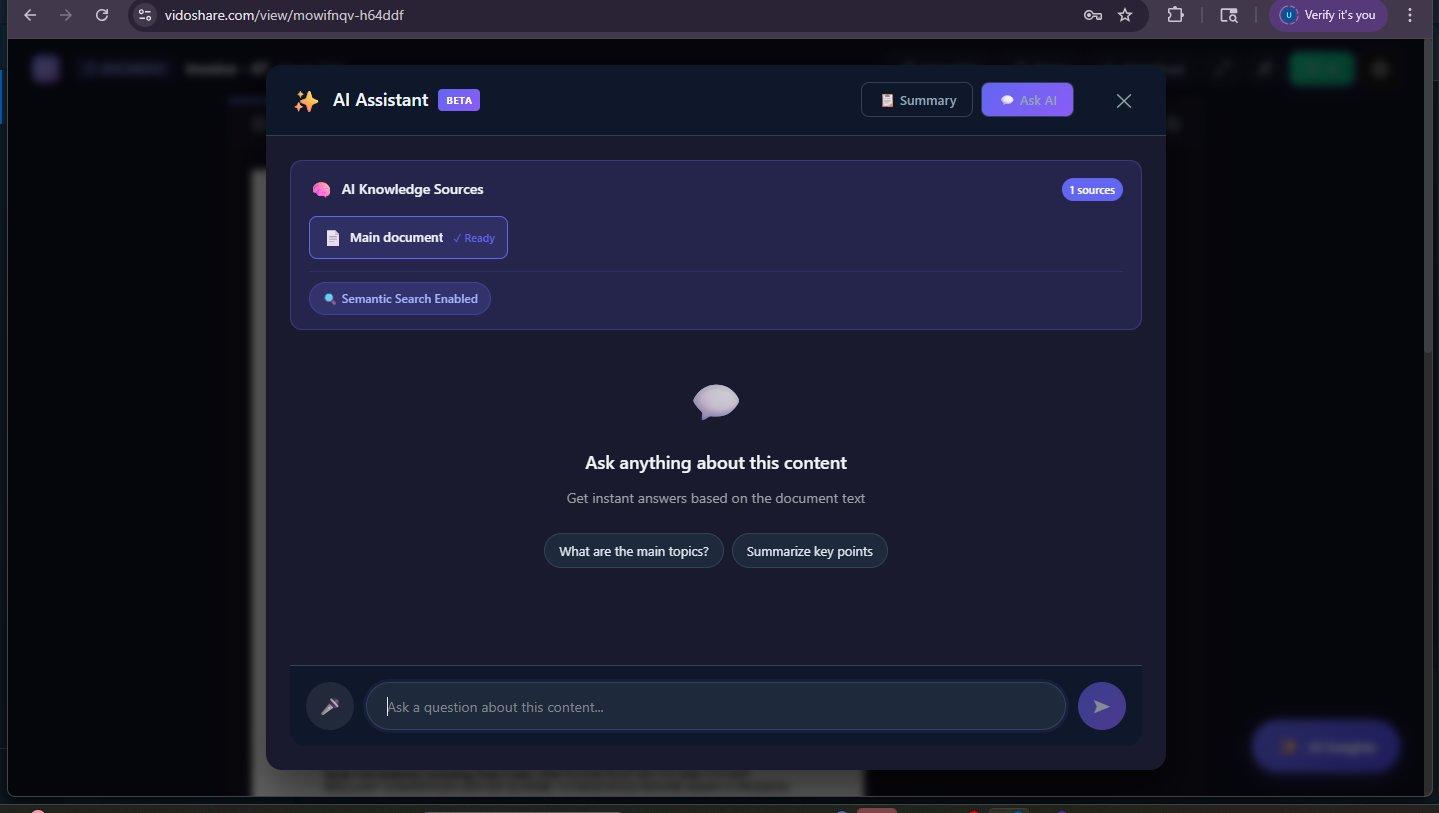
"Main document" shown with explicit Ready badge. Source count displayed — never hidden. Semantic Search Enabled indicator confirms embeddings are live.
Two starter prompts pre-loaded as tappable chips. Persistent input bar that never scrolls away. Empty state guides users to a question in under 5 seconds.
Auto-generated section headers per response. Nested bullet lists for sub-points. Source-grounded — no open-web hallucinations.
AI Capabilities at a Glance
Summarise Anything
Long videos, dense docs, busy boards, sprawling spreadsheets — collapsed into the points that matter.
Ask & Receive
Natural-language Q&A grounded in actual content. Sources surface — not hallucinated.
Co-create on Boards
"Create with AI" and "Edit with AI" buttons inside the canvas. Sketch architecture from a paragraph.
Bridge to Drive
Connect Google Drive — the AI reasons over those files too, no migration needed.
06 / User Journey
From Raw Idea to Shared Insight, in Five Steps
Record a screen, upload an existing file, or spin up a fresh board. The dashboard treats all four as first-class citizens.
Drop the asset into a folder. Tag it. Let the global search index it. The library starts behaving like a real second brain.
Public link for marketing. Password-protected for legal. Private for half-baked drafts. The choice happens at upload.
Send the link. Invite the team to a board. Everyone lands inside the same canvas — no install, no plugin, no dance.
Open the AI panel for a summary or question. Open analytics to see who engaged. A follow-up that writes itself.
07 / Design Language
Calm Interface for Noisy Work
The product handles five content types and an AI brain. The UI's job is to never feel like that. Vidoshare leans into a dark, low-noise canvas with a violet accent reserved for action and identity. Surfaces are quiet by default; emphasis arrives only where the user's hand goes — buttons, toggles, tab states, the Insights trigger.
The AI panel inherits the same restraint: tinted only where it needs to be, transparent about its sources, and structurally identical whether you're looking at an invoice or a board. Typography stays unfussy, leaving the user's content — a thumbnail, a chart, a flowchart — to do the talking.
Design principle — recede by default. An interface that recedes is the highest compliment for a content tool. Every decision in Vidoshare — the dark base, the single accent, the quiet surfaces — serves the goal of making the user's content feel like the foreground, not the chrome.
08 / Outcome
A Platform With the Scope of a Suite, the Feel of a Single App
5×
Content modes unified — video, doc, sheet, board, drive — under one calm dashboard.
2
AI modes per asset — Summary for instant key points, Ask AI for grounded conversation.
1-click
Public or password-protected sharing — privacy decided at creation, not buried in menus.
∞
Grounded summaries & questions — every reply anchored to the source, never hallucinated.
"The win isn't another sharing tool. It's the absence of five other ones — and an assistant that already finished the reading."
— Design thesis · Vidoshare
Want a unified platform like this for your team?
We design and build SaaS products that collapse five tools into one — with AI that actually finished the homework.