
InsightAI — Video Intelligence & Meeting Assistant
An AI-powered video analysis platform that automatically transcribes meeting recordings, generates structured summaries, extracts key decisions and action items — and lets users chat with their video content through RAG-powered conversational queries.
Speech-to-Text AI
Context-aware answers
OpenAI powered
Instant insights
01 / Project Overview
What We Built & Why
InsightAI is a video intelligence platform built for teams that run meetings, interviews, webinars, and recorded sessions. Instead of rewatching full recordings to find a specific decision or action item, users simply upload the video — and the platform handles everything automatically.
Using Speech-to-Text for accurate transcription, OpenAI for structured summaries, and RAG for contextual chat — InsightAI transforms hours of video content into searchable, queryable, and instantly accessible knowledge.
Core problem solved: Teams waste hours rewatching recordings just to find one decision or action item. InsightAI turns every video into a searchable knowledge base — ask a question, get the exact answer, with zero rewatching.
Video Upload
Upload any meeting or video recording — any format, any length, processed automatically.
Transcription
Accurate speech-to-text extraction from the uploaded video in seconds.
AI Summary
Structured meeting summary with key points, decisions, and action items.
Chat with Video
Ask any question about the meeting — get context-aware, RAG-powered answers.
Live Application
See InsightAI in Action
Real screenshots from the deployed InsightAI platform — from video upload to verbatim transcript extraction and AI-powered meeting analysis.
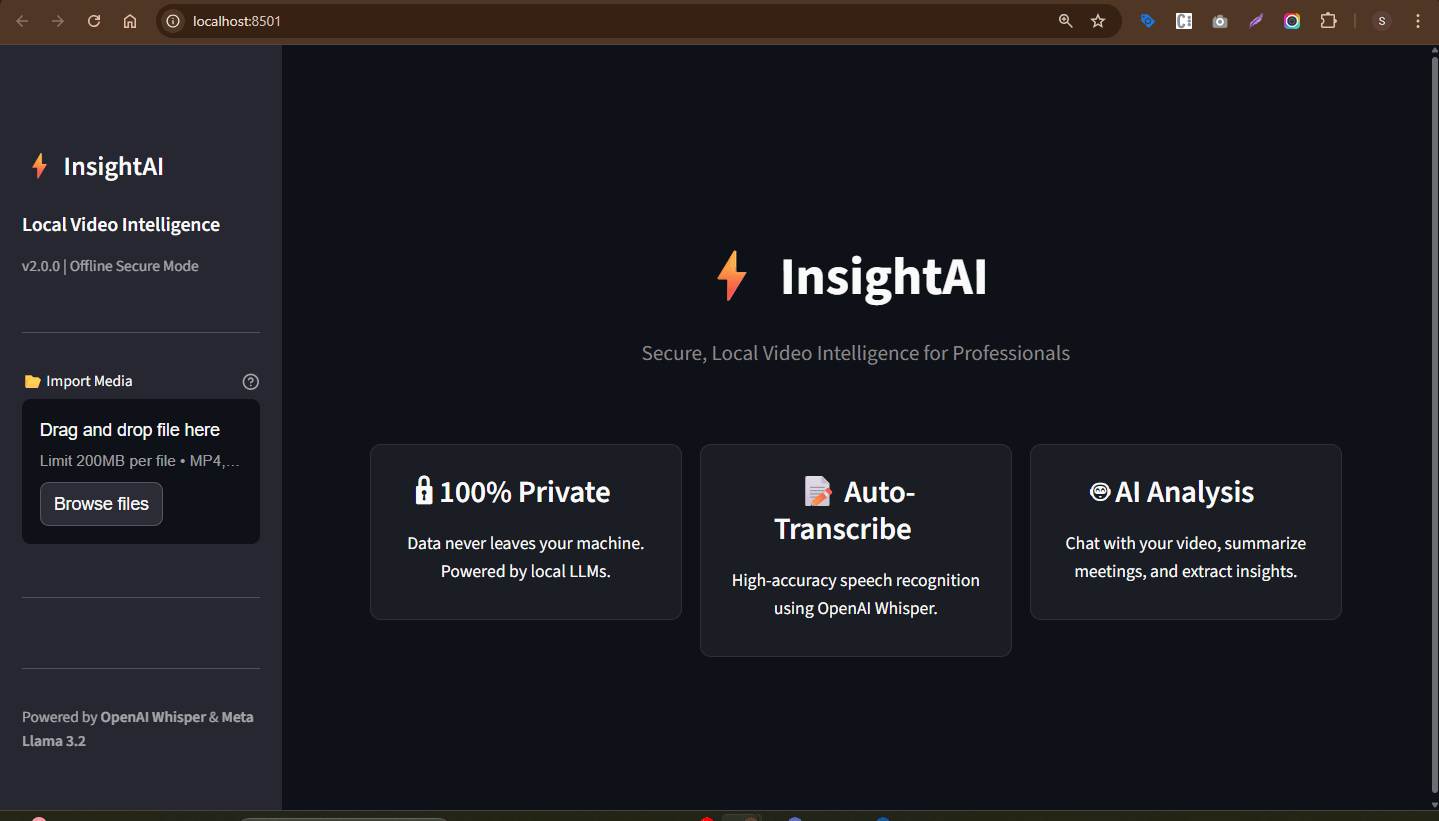
Step 01
Upload Your Meeting Video
Users simply drag & drop any meeting recording. InsightAI runs 100% locally — powered by OpenAI Whisper & Meta Llama 3.2. Data never leaves the machine.
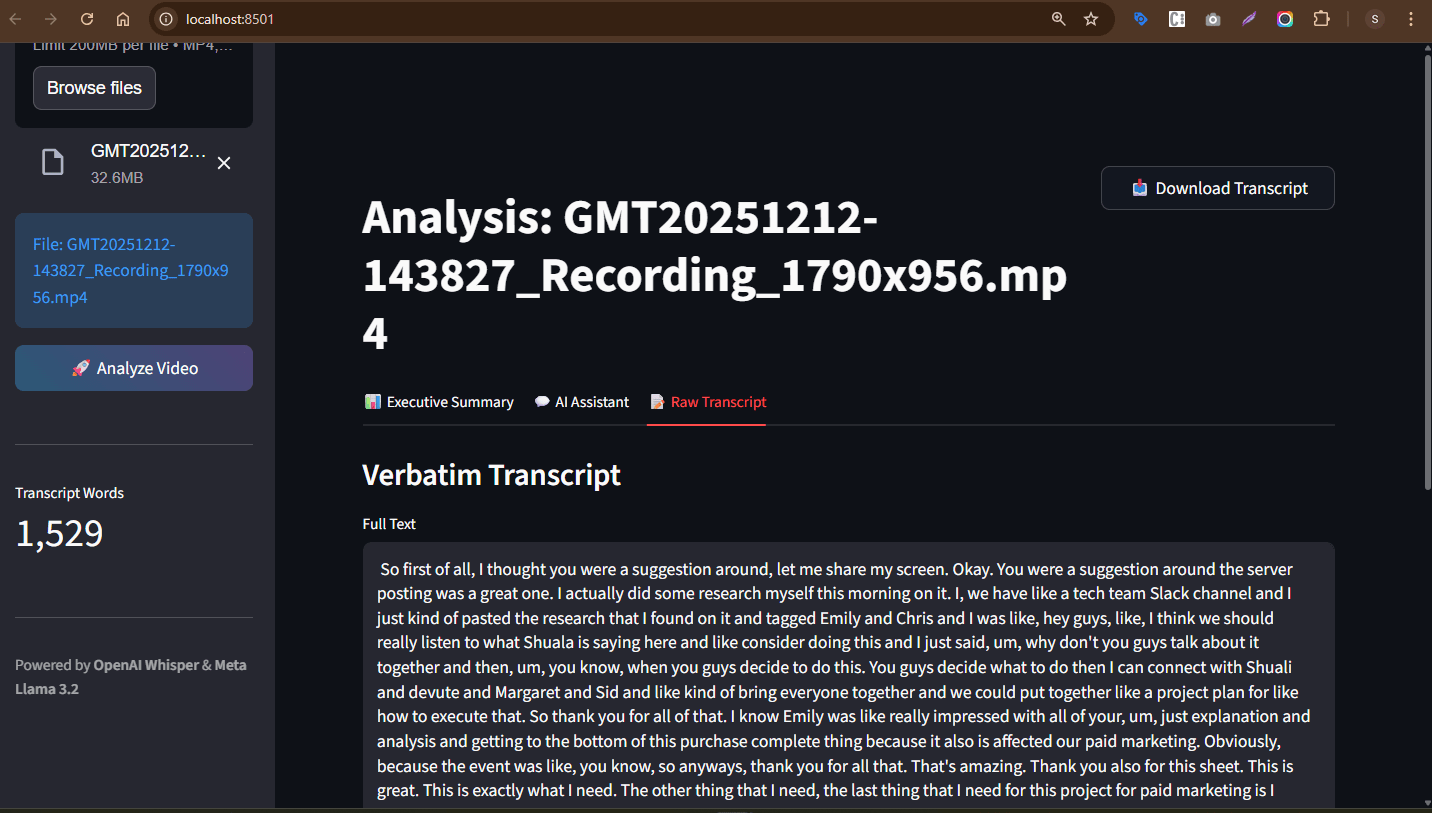
Step 02
Verbatim Transcript Generated
After analysis, a complete verbatim transcript is generated — 1,529 words extracted from a 32.6MB recording. Three tabs available: Executive Summary, AI Assistant, and Raw Transcript.
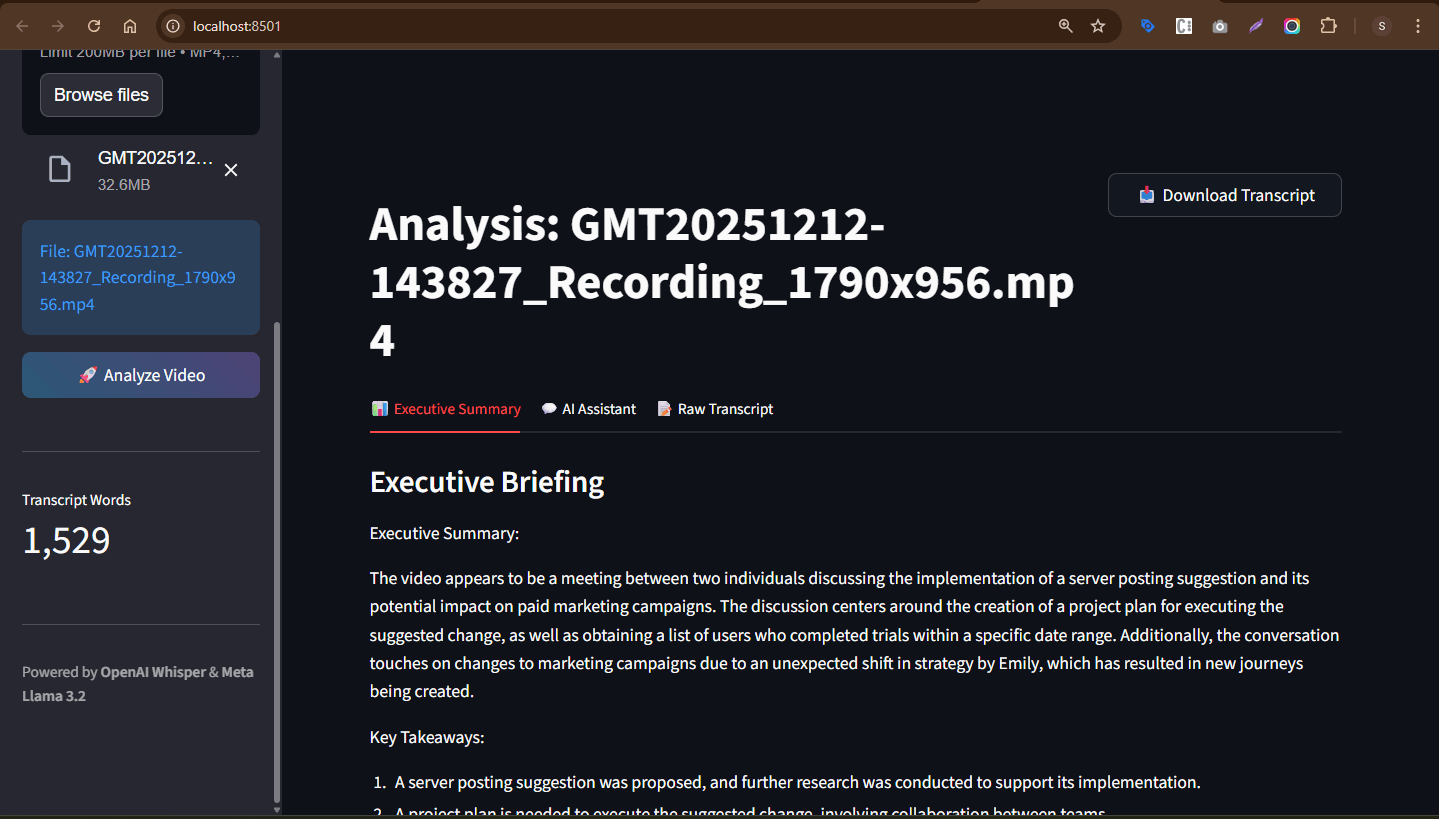
Step 03
Executive Briefing — AI-Generated Meeting Summary
The Executive Summary tab generates a full briefing — an AI summary of what the meeting was about, followed by Key Takeaways as a numbered list. All from a 32.6MB recording, fully processed locally.
02 / How It Works
The Video Intelligence Pipeline
From video upload to fully searchable meeting knowledge — every step is handled automatically by the AI pipeline.
User uploads a meeting or video recording. Supports all major video formats — processed via FastAPI backend.
Audio extracted from the video and passed through the Speech-to-Text engine — generating an accurate full transcript.
OpenAI processes the transcript — generating structured summaries, identifying key points, decisions, and action items.
Transcript chunks embedded as vectors and stored in a vector database — ready for semantic search and RAG retrieval.
Structured meeting summary delivered — key points, decisions, action items, and participants clearly listed.
AI identifies and tags key insights — what was decided, what was raised, and what needs follow-up action.
User asks questions about the meeting — e.g. "What was decided about the budget?" — RAG retrieves the exact context and LLM answers.
Video content fully transformed into searchable knowledge — no rewatching, no manual notes, instant access.
03 / Key Capabilities
What InsightAI Does
Automatic Transcription
AI-Generated Summaries
Chat with Video Content
Insight Extraction
Searchable Knowledge Base
Productivity Enhancement
04 / Business Impact
What InsightAI Delivers
Hours of meeting recordings processed in seconds — accurate transcripts, summaries, and action items ready immediately after upload.
Chat with any meeting — ask "What did we decide about the Q3 budget?" and get the exact answer without scrubbing through the recording.
Structured meeting notes auto-generated — key decisions, action items, and discussion points captured without any manual effort.
Every recording becomes a searchable knowledge asset — teams can query across months of meetings to find any insight instantly.
New team members can be onboarded from past recordings — query the knowledge base instead of scheduling catch-up calls.
05 / Tech Stack
Technologies Used
06 / Skills & Deliverables
What Was Built & Applied
Want AI-powered video intelligence for your team?
From automatic transcription to RAG-powered chat — we build meeting assistants that turn your recordings into searchable knowledge.