1. Introduction: Understanding WordPress and the Rise of Headless Architecture
WordPress has long been one of the most popular platforms for building websites, powering millions of blogs, business sites, and online stores around the world. Traditionally, WordPress combines both the back-end (where content is managed) and the front-end (what users see) in a single system. This all-in-one setup has made it easy for beginners and businesses to create websites without extensive technical knowledge.
However, as web technologies evolve and user expectations grow, traditional WordPress can sometimes face limitations. Sites may load slower, struggle with complex integrations, or restrict developers in designing highly customized user experiences. This is where headless WordPress comes into play.
Headless WordPress separates the back-end from the front-end, allowing developers to manage content in WordPress while using modern front-end frameworks to deliver faster, more flexible, and scalable websites. This architecture is gaining popularity because it provides more control, improved performance, and the ability to deliver content across multiple platforms, including websites, apps, and even IoT devices.
Table of Contents
2. What Exactly is Headless WordPress and How Does It Work?
Headless WordPress is a modern approach to building websites where the back-end (content management) and front-end (user interface) are separated. Unlike traditional WordPress, which controls both the content and how it is displayed, headless WordPress focuses purely on managing content. The front-end can then be built using any modern technology, giving developers more flexibility and control.
This approach allows businesses and developers to create highly customized websites without being limited by WordPress themes or templates. Since the front-end and back-end are independent, updates or changes to the design can be made without affecting the content structure. This also means content can be easily reused across multiple platforms, such as websites, mobile apps, or other digital channels, providing a consistent and seamless experience for users everywhere.
2.1 Understanding the Concept of Headless WordPress in Simple Terms
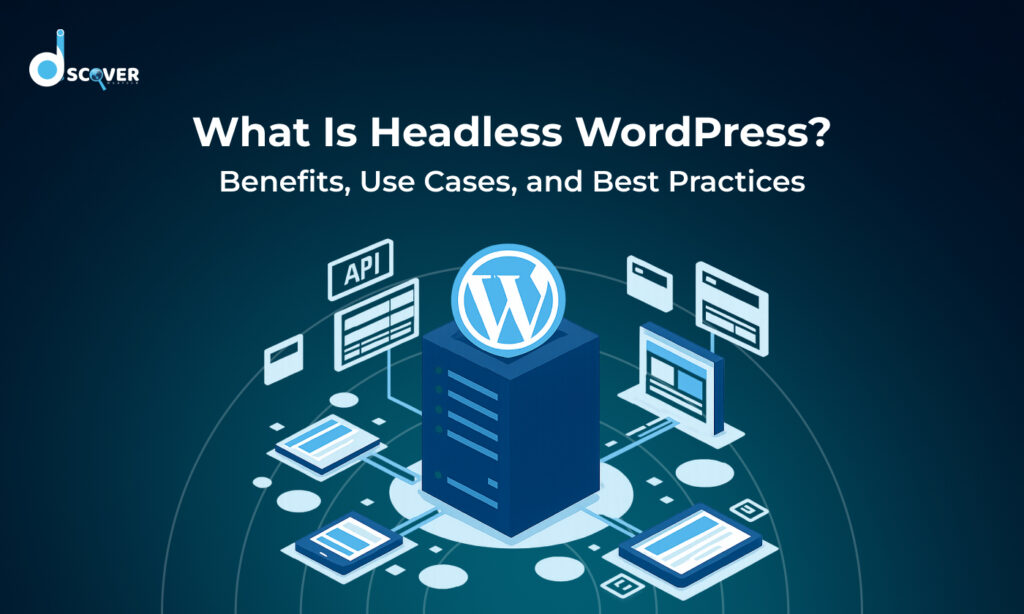
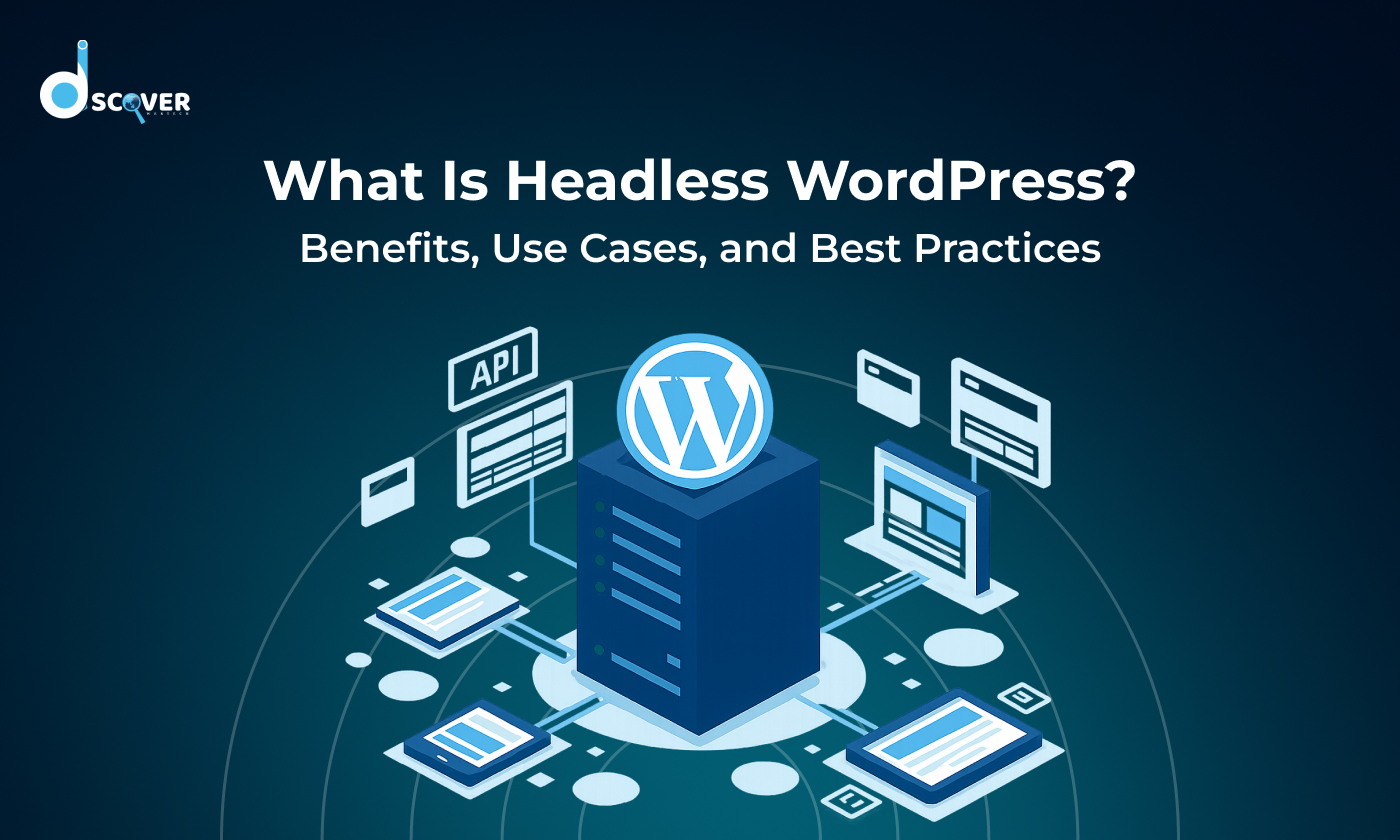
In simple terms, headless WordPress works like a “content hub.” WordPress stores and organizes your content, such as blog posts, images, and product information, but it doesn’t dictate how that content looks to users. Instead, the content is delivered via an API (Application Programming Interface) to a front-end system built with technologies like React, Vue.js, or Angular.
This separation allows developers to design highly customized user experiences without being restricted by WordPress themes or templates. Content can be reused across multiple platforms, such as websites, mobile apps, and even smart devices, making it a flexible solution for businesses with diverse digital needs.
2.2 How Headless WordPress Differs From Traditional WordPress Websites
Traditional WordPress combines the back-end and front-end into a single system. When you use a standard WordPress site, the themes and templates control both the design and the content display. This makes it simple to set up, but it can limit performance, design flexibility, and scalability.
In contrast, headless WordPress separates these two layers. The back-end focuses only on content management, while the front-end is completely independent. This means developers can:
- Use modern front-end frameworks to create faster, more interactive experiences.
- Deliver content to multiple platforms beyond just the website.
- Improve performance and security, as the front-end is decoupled from the back-end, reducing vulnerabilities.
By decoupling the front-end and back-end, headless WordPress gives businesses the freedom to innovate, scale, and provide a smoother user experience across all devices.e.
3. Why Should You Consider Using Headless WordPress for Your Website?
Headless WordPress is more than just a modern trend. It addresses many of the limitations of traditional WordPress sites. By separating content management from front-end design, it offers several key advantages for performance, security, flexibility, and scalability. Let’s explore why businesses and developers are increasingly adopting this approach.
In addition, headless WordPress allows for greater innovation and adaptability. Businesses can quickly respond to changing user needs, launch new digital experiences, and integrate emerging technologies without overhauling the entire website. This makes it an ideal solution for companies looking to stay competitive and deliver a seamless, modern user experience across multiple platforms.
3.1 How Headless WordPress Can Improve Website Performance and Loading Speed
One of the biggest advantages of headless WordPress is improved website performance. Because the front-end is built separately using modern frameworks like React, Vue.js, or Angular, pages can load much faster than traditional WordPress sites. Faster websites not only provide a better user experience but also improve search engine rankings. Additionally, content delivery can be optimized using APIs and content delivery networks (CDNs), ensuring users get the information they need almost instantly, no matter where they are.
3.2 How It Enhances Security and Reduces Vulnerabilities
Security is a major concern for any website. Traditional WordPress sites can be vulnerable because the back-end and front-end are tightly connected, making it easier for attackers to exploit plugins or themes. Headless WordPress separates these layers, meaning hackers cannot directly access the front-end code. This reduces the risk of attacks and provides an added layer of protection for sensitive data. Businesses can also implement stronger security measures without affecting the user interface.
- Reduced exposure to plugin vulnerabilities: Since the front-end is separate, attackers cannot exploit theme or plugin weaknesses as easily.
- Controlled access points: APIs can be secured with authentication and permission rules, limiting who can access content.
- Easier monitoring and threat detection: Decoupled architecture allows businesses to implement dedicated security tools for the back-end and front-end independently.
- Faster response to security updates: Updates and patches can be applied to the back-end without impacting the live user-facing website.
3.3 Why Front-End Developers Find Headless WordPress More Flexible and Creative
Front-end developers often feel restricted by traditional WordPress themes and templates. With a headless setup, they have complete creative freedom to design interactive, dynamic, and highly customized user experiences. Developers can choose the best tools, frameworks, and technologies for their project, making it easier to implement modern design trends, animations, and responsive layouts. This flexibility also allows websites to adapt quickly to new devices and platforms without changing the content management system.
3.4 How Headless Architecture Supports Scalability for Growing Websites
As websites grow and traffic increases, scalability becomes critical. Headless WordPress allows businesses to scale efficiently because the back-end and front-end can grow independently. Content can be delivered across multiple channels simultaneously, such as websites, mobile apps, and even IoT devices. Developers can add new features, redesign the front-end, or expand content distribution without disrupting the back-end, ensuring a smooth and consistent experience for users as the website grows.
More ways Headless WordPress Helps Your Website Scale:
- Easier handling of high traffic spikes: The front-end can be optimized separately with caching, CDNs, and performance-focused frameworks to handle large numbers of users without slowing down the site.
- Flexible content delivery across platforms: Businesses can manage content once in WordPress and push it to multiple websites, apps, or other digital channels without duplication.
- Simplified maintenance and updates: Decoupled architecture allows updates, bug fixes, or new features to be implemented on one layer without affecting the other, reducing downtime.
4. Which Types of Websites or Businesses Benefit Most From Headless WordPress?
Headless WordPress is not just for tech-savvy developers. It can provide significant advantages for a variety of businesses and websites. By separating content management from the front-end, companies can deliver faster, more flexible, and highly customized digital experiences. Let’s look at which types of websites or businesses gain the most from adopting a headless architecture.
This approach is especially useful for businesses that plan to grow and expand their digital presence. Companies with multiple platforms, frequent content updates, or complex user interactions can manage everything centrally while maintaining consistent branding and performance. It allows teams to focus on creating innovative user experiences without being constrained by traditional website limitations.
4.1 How Multi-Platform Content Delivery Becomes Easy With Headless WordPress
For businesses that need to publish content across multiple channels, headless WordPress is a game-changer. With the content stored centrally in WordPress, it can be delivered seamlessly to websites, mobile apps, social media platforms, and even IoT devices. This eliminates the need to manually update each platform individually and ensures consistency across all channels. Brands can maintain a unified voice and presentation while reaching audiences wherever they are.
This centralized approach also saves time and reduces errors. Teams can focus on creating high-quality content without worrying about reformatting or duplicating it for different platforms. It makes content management simpler, faster, and more efficient, especially for businesses with a large volume of updates or campaigns.
4.2 Using Headless WordPress for Progressive Web Apps (PWAs) and Mobile Experiences
Progressive Web Apps (PWAs) are websites that function like mobile apps, providing fast, responsive, and offline-friendly experiences. Headless WordPress is ideal for building PWAs because the front-end is completely independent of the back-end. Developers can create fast-loading, app-like interfaces while still using WordPress to manage content. This results in a smoother user experience, higher engagement, and better performance on mobile devices.
Other Benefits for PWAs and Mobile Experiences
- Offline accessibility: Users can access previously loaded content even without an internet connection, improving usability.
- Push notifications support: Businesses can send updates directly to users, increasing engagement and retention.
- Faster updates and deployments: Front-end changes or feature updates can be rolled out without affecting the back-end, ensuring minimal downtime.
4.3 Why E-Commerce Platforms Can Gain Advantages With Headless WordPress
E-commerce websites often require complex designs, dynamic product catalogs, and smooth checkout processes. Headless WordPress allows developers to build a custom front-end using modern frameworks while keeping product data and content managed in WordPress. This improves site speed, reduces cart abandonment, and enables a more personalized shopping experience. Additionally, headless architecture makes it easier to integrate with third-party tools such as payment gateways, CRM systems, and inventory management software.
This setup also allows e-commerce businesses to scale quickly as their product catalog and traffic grow. New features, promotions, or seasonal campaigns can be implemented on the front-end without affecting the back-end, ensuring a seamless shopping experience for customers while maintaining consistent content management.
4.4 How Enterprise-Level Applications Can Leverage Headless Architecture
Large enterprises and organizations often have complex digital needs, including multiple websites, mobile apps, and internal platforms. Headless WordPress enables enterprises to manage content centrally and deliver it across all channels without duplication or inconsistencies. It also supports scalability, high traffic loads, and advanced security measures, making it a reliable solution for companies with large-scale digital operations. Enterprises can innovate faster and adapt to new market demands without overhauling their entire content system.
5. What Are the Best Practices to Follow When Implementing Headless WordPress?
Implementing headless WordPress requires careful planning and execution to ensure a smooth and efficient website. While it offers many benefits like flexibility, speed, and scalability, following best practices is essential for achieving optimal results. Here are some key strategies to consider when building a headless WordPress site.
A well-planned approach also helps avoid common challenges such as slow performance, integration issues, or SEO problems. By establishing clear workflows, choosing the right tools, and maintaining consistent content organization, businesses can maximize the advantages of headless WordPress while minimizing potential risks and ensuring a seamless experience for users.
5.1 How to Choose the Right Front-End Framework for Your Website
The front-end framework you choose will determine the speed, interactivity, and overall user experience of your site. Popular options include React, Vue.js, and Angular. When selecting a framework, consider factors like your development team’s expertise, project requirements, and long-term scalability. A well-chosen framework ensures fast performance, easier maintenance, and a smooth workflow between the back-end and front-end.
Tips for Choosing the Best Front-End Framework:
- Match your team’s skills: Pick a framework your developers are comfortable with to save time and avoid steep learning curves.
- Focus on performance: Choose a framework known for fast rendering and smooth interactivity.
- Consider long-term scalability: Ensure the framework can handle growth, larger projects, and new features easily.
- Check ecosystem and support: A strong community and available plugins or libraries can make development faster and easier.
- Align with your project goals: Some frameworks are better for interactive web apps, while others excel at static or content-heavy websites.
5.2 Optimizing API Performance to Ensure Smooth User Experience
APIs are the bridge between the WordPress back-end and the front-end. Optimizing API performance is crucial for fast content delivery and a seamless user experience. Fast and efficient APIs reduce loading times, prevent bottlenecks, and ensure that users receive content quickly across all devices.
Tips to Optimize API Performance Effectively:
- Limit unnecessary requests: Only fetch the data you need to reduce server load and speed up responses.
- Use caching wisely: Store frequently requested content temporarily to deliver it faster without hitting the server repeatedly.
- Choose a reliable hosting provider: A strong server ensures smooth API performance even during traffic spikes.
- Monitor API performance regularly: Track response times and fix any slow endpoints to maintain a fast user experience.
- Optimize payloads: Send only essential data in API responses to reduce bandwidth and improve load times.
5.3 Managing and Organizing Content Effectively in a Headless Setup
Since the front-end is separate from the back-end, managing and structuring content becomes even more important. Use clear content hierarchies, consistent naming conventions, and structured data to make content easier to access and deliver. Implementing a well-organized content strategy helps developers integrate content efficiently into multiple platforms, ensuring consistency and reducing errors.
Creating content templates and standardized workflows can further simplify the process. By defining how different types of content should be formatted and categorized, teams can maintain uniformity across all channels. This not only saves time during content updates but also minimizes the risk of mistakes, keeping the website and connected platforms running smoothly.
5.4 Ensuring SEO Compatibility and Visibility in a Headless Environment
SEO can be challenging in a headless setup because search engines rely on structured and accessible content. To maintain visibility, ensure that metadata, sitemaps, and structured data are properly implemented. Use server-side rendering (SSR) or static site generation (SSG) for better indexing and faster page loads. Regularly test your site for crawlability and optimize content to maintain search engine rankings while taking advantage of headless WordPress flexibility.
SEO Best Practices for Headless WordPress:
| SEO Strategy | Purpose | Benefit for Headless Setup |
| Metadata & Title Tags | Helps search engines understand each page | Improves rankings and click-through rates |
| Structured Data (Schema) | Provides context about content type | Enhances rich snippets in search results |
| Server-Side Rendering (SSR) | Renders pages before sending to users | Faster indexing and better performance |
| Sitemaps & Robots.txt | Guides search engines on site structure | Ensures all content is crawled efficiently |
| Content Optimization | Keyword usage, headings, alt tags, etc. | Maintains visibility and relevance |
| Regular Crawlability Tests | Detects broken links or inaccessible pages | Keeps SEO health strong over time |
6. What Challenges Might You Face With Headless WordPress and How Can You Solve Them?
While headless WordPress offers flexibility, speed, and scalability, it comes with its own set of challenges. Understanding these challenges and knowing how to address them is crucial for a successful implementation. These challenges often arise because headless architecture is more complex than traditional WordPress setups. Teams may face difficulties coordinating between back-end and front-end developers, handling custom integrations, or maintaining consistent content delivery across multiple platforms. Being aware of these potential hurdles in advance allows businesses to plan properly and implement solutions that keep the website efficient and reliable. Let’s explore the most common issues and ways to overcome them.
6.1 Understanding the Complexity of Setup and Configuration Issues
Headless WordPress requires separating the back-end from the front-end, which adds complexity during setup. Configuring APIs, front-end frameworks, and hosting environments can be challenging, especially for teams new to headless architecture.
Tips to Overcome Setup Challenges:
- Follow a step-by-step implementation plan to avoid confusion during setup.
- Use starter templates or boilerplate projects to speed up initial configuration.
- Invest in proper training or documentation for your development team to understand headless workflows.
- Test each stage carefully before going live to ensure smooth communication between back-end and front-end.
6.2 Managing Limited Built-in Features and Plugin Dependencies
Headless WordPress offers great flexibility, but this comes at the cost of losing some built-in features that traditional WordPress provides. Since the front-end is decoupled from the back-end, certain plugins, themes, or visual builders may not work as expected. Understanding these limitations early helps businesses plan their development strategy more effectively.
Unlike traditional WordPress, headless setups may not support all plugins or built-in features automatically. Certain functionalities like themes, visual builders, or SEO plugins may need custom solutions.
Ways to Handle Limited Features:
- Prioritize essential features and find compatible APIs or headless-ready plugins.
- Develop custom solutions for functionalities not supported out of the box.
- Maintain a modular approach so new features can be added without breaking existing workflows.
- Regularly update dependencies to ensure security and compatibility with your headless setup.
6.3 Integrating Third-Party Tools and Services Without Losing Efficiency
Integrating third-party tools and services is a common need for modern websites, but in a headless WordPress setup, it requires careful planning. Without proper implementation, these integrations can cause slowdowns, conflicts, or even disrupt content delivery. Understanding how to connect external tools efficiently ensures your site remains fast and reliable.
Headless WordPress often requires integrating tools like analytics, CRM systems, or payment gateways. Improper integration can slow down your site or create conflicts between systems.
Best Practices for Efficient Integration:
- Use APIs for seamless communication between WordPress and third-party tools.
- Monitor performance regularly to detect any slowdown caused by external integrations.
- Keep integrations modular to easily replace or update services without affecting the core site.
- Document integration processes for easier troubleshooting and future upgrades.
7. Conclusion
Headless WordPress represents a modern and flexible approach to web development, offering significant advantages in performance, scalability, and customization. By separating the back-end content management from the front-end presentation, businesses can deliver faster, more interactive, and multi-platform digital experiences.
While it comes with challenges such as complex setup, limited built-in features, and the need for careful integration of third-party tools, these can be effectively managed with proper planning, best practices, and the right tools. For developers and businesses willing to invest in a headless architecture, the benefits often outweigh the difficulties, enabling them to create websites that are future-proof, user-friendly, and highly adaptable to changing digital demands.
Adopting headless WordPress also allows teams to experiment with new technologies and design trends without being constrained by the limitations of traditional WordPress. This flexibility empowers businesses to innovate faster, deliver richer user experiences, and stay ahead in a competitive digital landscape.
Check out our latest blog on – “How to Disable AI Overview Google: Quick Fixes to Get Back Classic Search Results”