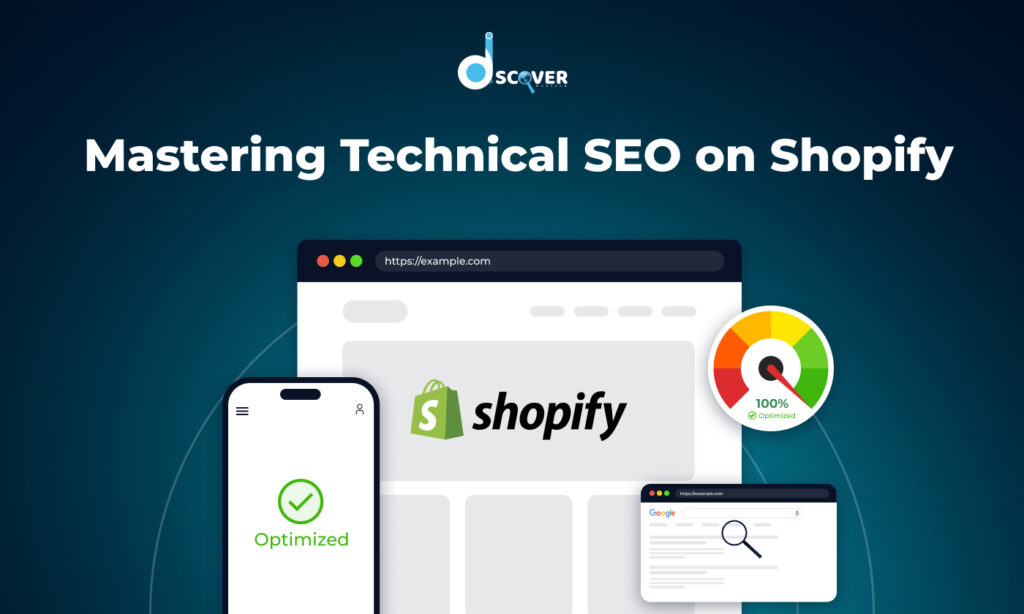
At Discover WebTech, we know that while content, keywords, and backlinks are crucial for SEO, technical SEO is the invisible foundation that keeps everything standing strong. Even the best‑designed Shopify store won’t get the visibility it deserves if search engines can’t easily crawl, understand, and index it.
That’s why our team members always start by looking at three pillars of technical SEO for Shopify: Speed, Structure, and More. Which includes advanced strategies like schema markup, mobile optimization, and security. In this blog, we’ll guide you step by step through the same approach we use for our clients, so you can identify hidden issues and unlock better rankings and conversions.
1. Why Technical SEO Matters
Over the years, we’ve seen many Shopify store owners focus heavily on design and content, only to find their rankings stuck on page two or lower. Often, the real blocker isn’t content quality it’s technical issues like slow load times, duplicate URLs, broken links, or messy site architecture.
According to SEO experts, technical SEO isn’t something you set up once and forget. Search engines rely on clean, well‑structured websites to understand what you sell, and even small technical mistakes can stop them from crawling or indexing key pages. By making technical SEO a routine part of your strategy, you create a stronger foundation for everything else you do.
2. Speed: Enhancing Site Performance
We all know how frustrating it feels to visit a slow website and your customers feel the same way. Beyond user experience, site speed is a confirmed Google ranking factor and can have a direct impact on conversion rates.
Our team uses tools like:
- Google PageSpeed Insights
- GTmetrix
- Lighthouse
- Shopify’s own Online Store Speed Report
We focus on three Core Web Vitals that matter most:
- Largest Contentful Paint (LCP): Should be under 2.5 seconds
- First Input Delay (FID): Should be under 100 ms
- Cumulative Layout Shift (CLS): Should be less than 0.1
Here’s what we do to boost speed:
- Choose lightweight, modern themes like Dawn
- Compress images into efficient formats like WebP
- Enable lazy loading so images load only when visible
- Remove unused apps that add extra scripts and CSS
- Defer non‑critical JavaScript and inline critical CSS
- Use Shopify’s built‑in CDN to deliver assets faster worldwide
These optimizations don’t just help rankings — they make your store feel faster, which keeps customers engaged and increases the chance they’ll complete a purchase.
3. Structure: Building Crawlable & Clean Architecture
A clear, logical site structure helps search engines understand your store and makes navigation easier for users. At Discover WebTech, our team members focus on four key areas:
A. Site Architecture & URLs
We recommend a structure like:
Home → Collections → Products → (Optional: Blog/Guides)
Keep URLs short, clear, and keyword‑focused. For example:
yourstore.com/collections/summer-dresses instead of something long and messy.
To avoid duplicate content, we set canonical tags on product pages when the same product appears in multiple collections.
B. Crawlability & Indexability
We make sure Shopify’s automatically generated sitemap.xml and robots.txt files are correctly configured so important pages are discoverable. Using tools like Screaming Frog and Google Search Console, we check for:
- Broken links and redirect chains
- Orphaned pages with no internal links
- Filter or tag URLs that might create duplicate content
We also implement 301 redirects when products are discontinued or URLs change, so you don’t lose valuable link equity.
C. Internal Linking
Our team members build strong internal links between products, collections, and blog posts. For example, linking “Summer Dresses” to a “Trending Summer Styles” blog post helps distribute authority across your site.
D. Mobile Optimization
Since Google now uses mobile‑first indexing, mobile performance isn’t optional. We make sure Shopify themes are responsive, images scale correctly, and buttons are easy to tap on smaller screens. Regular tests with Google’s Mobile‑Friendly Test help us stay on track.
4. More: Advanced Technical SEO Tactics
Beyond speed and structure, there are advanced technical elements that can push your Shopify SEO even further:
A. Structured Data & Schema Markup
We add structured data to product pages, reviews, FAQ sections, and breadcrumbs to help Google better understand your content. This increases your chances of showing rich snippets in search results like star ratings or price ranges which can boost click‑through rates.
B. SSL / HTTPS
Shopify provides SSL certificates by default, but our team members check to make sure there’s no “mixed content,” where secure and non‑secure assets load together, which can harm trust and cause browser warnings.
C. JavaScript & CSS Optimization
We remove unused CSS and JavaScript that can slow down load times, especially those left behind by uninstalled apps. We also defer scripts that aren’t needed immediately so they don’t block rendering. For more advanced customization or cleanup, hiring a Shopify developer can help implement deeper performance improvements that go beyond standard theme settings or app-based fixes.
D. Regular Technical Audits
Technical SEO isn’t one and done. We recommend:
- Full audit every 6 months to catch bigger issues
- Mini‑audits monthly after adding new apps, changing themes, or large product updates
We use tools like Google Search Console, Screaming Frog, Ahrefs, and Shopify’s speed reports to keep an eye on technical health, following a technical SEO checklist that covers all foundational elements.
E. AI‑Driven Enhancements
As search engines increasingly use AI, we help clients adapt by:
- Targeting voice search and conversational queries
- Adding FAQ sections to improve chances of appearing in featured snippets
- Using AI tools to suggest metadata, alt text, and structured data
5. Our Technical SEO Audit Checklist (Explained in Detail)
At Discover WebTech, our team members follow a comprehensive technical SEO checklist to keep your Shopify store optimized:
Speed:
We use Lighthouse, GTmetrix, and Shopify’s speed reports to check Core Web Vitals like LCP, FID, and CLS. We also look at image compression, lazy loading, and script optimization.
Crawlability:
Using Screaming Frog and Google Search Console, we verify your sitemap.xml and robots.txt files, fix broken links, eliminate redirect chains, and identify orphaned pages.
Structure:
We keep URLs short and descriptive, use canonical tags to manage duplicate content, and create internal links that distribute authority and guide visitors.
Mobile Optimization:
With tools like Google’s Mobile‑Friendly Test, we confirm your site is responsive, tap‑friendly, and loads quickly on mobile devices.
Schema Markup:
We add and test structured data to enhance your listings with product details, review stars, FAQs, and breadcrumbs.
Security:
We check for active SSL certificates and make sure there’s no mixed content.
Ongoing Monitoring:
Through Google Search Console and analytics dashboards, we watch for indexing problems, traffic drops, and Core Web Vitals performance.
This checklist helps us keep our clients’ Shopify stores technically sound and competitive.
Conclusion
At Discover WebTech, we believe technical SEO isn’t just a checkbox it’s a long‑term investment that supports every other part of your digital marketing. By focusing on speed, structure, and advanced strategies like schema markup and AI‑readiness, you can boost search rankings, keep users engaged, and ultimately sell more.
Whether you’re just starting out or scaling your business, now is the perfect time to run a technical SEO audit. Small improvements today can lead to big results over time.
Need help?
Our team members at Discover WebTech are ready to help you audit, optimize, and future‑proof your Shopify store. Let’s build something amazing together.
Check out our latest blog on “What Does Ad Impressions Mean for Your Ad Budget and ROI?”